7 Best Smart Paging Machines for Businesses in 2026

A missed order, a crowded pickup counter, or a guest unsure where to wait can disrupt an otherwise smooth business day. A Smart Paging Machine helps teams notify customers when service is ready, without asking them to remain beside the counter. Depending on the system, staff may send alerts through pagers, displays, or mobile devices. The right setup can make busy moments easier to manage.

This guide to the 7 Best Smart Paging Machines for Businesses in 2026 focuses on practical differences, not flashy feature lists. We consider alert range, signal reliability, ease of setup, battery life, and how well each system fits restaurants, clinics, retail counters, and service desks. A compact transmitter may suit a small café, while a multi-zone setup can be more useful across a larger venue. Clear controls matter, too. Staff should be able to issue and reset alerts without slowing down service.

Small details count. A pager that is hard to clean or charge can become a daily annoyance. So can an interface that new employees struggle to learn. No system is flawless. Signal performance can vary with walls, equipment, and layout, so businesses should check coverage in their own space before committing. Our shortlist is intended to help owners compare options, ask better questions, and choose a system that matches their actual workflow—not simply the longest feature list.
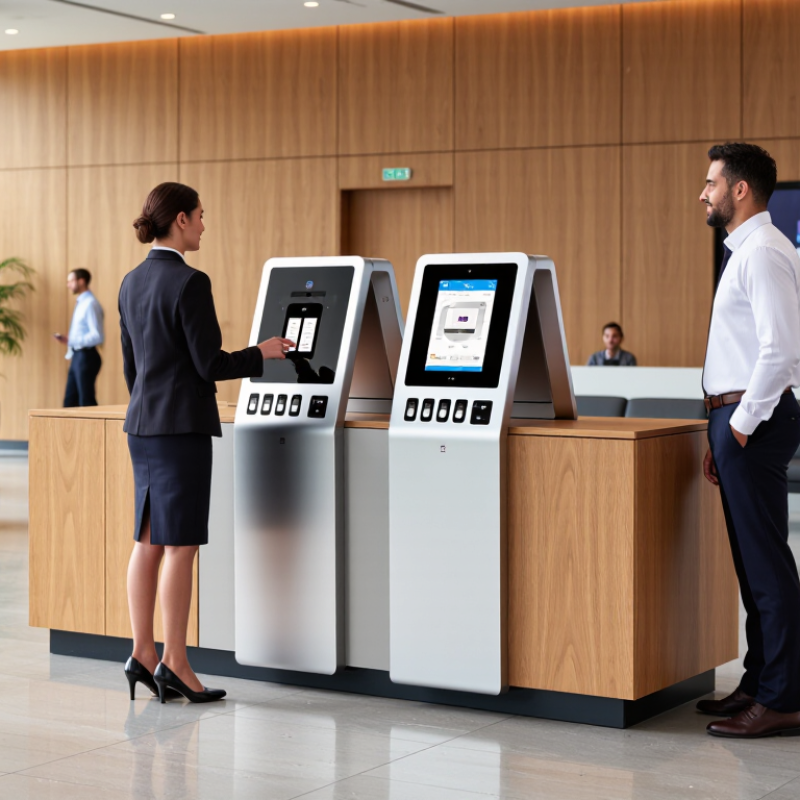
7 Best Smart Paging Machines for Businesses in 2026

What Smart Paging Machines Are and How Businesses Use Them

Smart paging machines are wireless systems that notify customers or staff when service is ready. A typical setup includes a transmitter, numbered receivers, and a charging dock. Staff enter an order or press a button; the matching receiver then vibrates, flashes, or sounds. That is the basic loop. In a busy café, a guest can wait near the pickup counter instead of crowding the register. In a clinic or service desk, staff can call the next person without shouting names across a room.

The National Restaurant Association’s 2024 State of the Restaurant Industry projected $1.1 trillion in U.S. restaurant sales and 15.7 million restaurant jobs.

Those figures describe a large, people-intensive sector, not proof that pagers improve service. Their value depends on the setting: a compact counter may need only a simple alert, while a large venue may require broader coverage and clear receiver tracking. Signal dead zones matter. So do charging habits.

Businesses should test alerts during a real shift, with doors open and equipment running. Check whether customers understand where to return a receiver, and whether staff can reset it quickly. Smart paging can reduce repeated name-calling and ease pickup congestion, but it cannot fix slow preparation or confusing instructions. A quiet vibration can also be missed. It is worth measuring missed alerts and wait times before expanding a system. That step is easy to overlook.


How Smart Paging Systems Deliver Alerts

Smart paging systems turn an event into a directed alert. A machine fault, help-button press, or monitoring rule can trigger a message. Software routes it by location, urgency, and staff role. A receiver then vibrates, flashes, or sounds, so a technician can respond without watching a dashboard. For critical alerts, escalation rules can notify a backup person if nobody acknowledges the first message. Small details matter: a message saying “Line 3, press fault” is more useful than “Machine alert.”

A 2024 industry report examining 500 large companies estimated that downtime costs them about $1.4 trillion annually, roughly 11% of revenue. That figure makes response time important, but paging cannot prevent every stoppage. Poorly tuned alerts may create noise, and staff can start ignoring them. Honestly, this part is easy to underestimate. Test coverage in noisy areas, confirm messages reach the right receiver, and review missed acknowledgements after drills.

Tips: Use short, location-specific alert text. Set a clear backup recipient. Test dead spots during normal operations, not only during installation. Keep a simple log; recurring false alarms deserve attention.

Key Criteria for Comparing Business Paging Machines in 2026

Compare business paging machines by coverage, delivery speed, resilience, and ease of use—not by advertised range alone. Walk the actual site: metal shelving, concrete walls, loading bays, and noisy production lines can weaken signals or mask alerts. Test reception at the farthest workstations and measure how quickly a message reaches each receiver. Small details matter. Check battery life, charging routines, alert volume, and whether staff can acknowledge or escalate a page.

Reliability deserves a practical test. Uptime Institute’s 2024 Annual Outage Analysis found that 54% of surveyed organizations’ most recent significant outages cost more than $100,000; 16% exceeded $1 million. The report concerns outages broadly, not paging equipment specifically, but it shows why backup power, network failover, and clear maintenance procedures matter. Ask what happens during an internet interruption. A system that works only under ideal conditions may disappoint on a busy shift.

Security and compatibility also belong on the scorecard. Verizon’s 2024 Data Breach Investigations Report found that 68% of breaches involved a non-malicious human element. For paging systems, review account controls, audit logs, software updates, and staff training. Confirm integration with existing phones, alarms, or scheduling tools before buying. Then run a live trial across different shifts. A neat specification sheet can miss awkward realities—like gloves, glare, or a receiver left in a noisy room.

Seven Smart Paging Machines for Businesses in 2026

Seven Smart Paging Machines for Businesses in 2026

The seven smart paging machines below fit different workflows, from busy counters to large facilities. Wearable belt pagers give staff quiet alerts while their hands are full. Desktop receivers suit small service desks, where a bright display is easy to notice. Two-way text pagers let supervisors send short instructions and receive acknowledgments. Queue pagers notify customers when an order is ready, reducing crowding near pickup counters. A multi-zone paging console directs announcements to selected areas, such as a warehouse aisle or dining room. IP-connected paging endpoints can link alerts across a wider site, but depend on reliable network coverage. Rugged pagers are built for dusty, wet, or noisy work areas; check battery life and button usability before choosing.

Selection should start with the moment an alert could be missed. Test the device from the farthest work area, with doors closed and ordinary equipment running. The Grammarly-Harris Poll State of Business Communication report estimated that poor workplace communication cost U.S. businesses $1.2 trillion annually. Paging cannot fix unclear procedures, but concise alerts can help teams respond consistently. Keep messages short. Also check whether devices support individual, group, and emergency notifications, and whether managers can review delivery records. Some systems look capable in a brochure yet feel clumsy during a real shift. Pilot two or three units before outfitting an entire site, and ask staff what they would actually wear or carry.

7 Best Smart Paging Machines for Businesses in 2026 - Seven Smart Paging Machines for Businesses in 2026

A practical comparison of common paging system types. Coverage depends on the transmitter, building materials, interference, and local regulations; confirm performance with an on-site test before purchase.

Paging system Typical users How it works Alert and information Coverage considerations Best suited to Main limitation
1. Guest coaster pager system Restaurant and café guests Staff assign a numbered pager to a guest; a base transmitter alerts that pager when an order is ready. Usually vibration, light, or sound; generally signals pickup rather than displaying a detailed message. Designed for local venue coverage. Walls, kitchens, metal structures, and outdoor areas can affect reception. Food counters, food halls, and busy quick-service venues Guests must carry and return the pager; it is not a two-way messaging system.
2. Numeric display pager system Service, maintenance, and operations staff A base or paging terminal sends a number or short numeric code to an assigned receiver. Vibration, tone, and a numeric display, depending on the receiver model. Coverage depends on the system frequency, antenna placement, receiver, and building layout. Teams that use agreed codes, extension numbers, or callback numbers Numeric alerts provide limited context unless staff share a code system.
3. Alphanumeric staff pager system Healthcare, facilities, and on-call teams A paging terminal sends a short text message to an individual or group receiver. Typically offers a display plus vibration or audible alerts; message length varies by device and service. May use a local transmitter or a paging service; actual availability and indoor reception vary by location. Staff who need brief instructions or callback details while away from a desk Usually supports one-way messages and may require a separate service or terminal.
4. Two-way text pager system Dispatch, healthcare, and mobile operations teams Messages are delivered to a handheld device, which can send a reply through a supported network or system. Text alerts and replies; available functions depend on the device and connected service. Requires compatible network or infrastructure and sufficient service coverage at the user's location. Teams that need acknowledgement or short responses without a voice call More complex to deploy than a one-way pager; functionality depends on service availability.
5. Wearable vibration pager Retail, hospitality, and production staff A compact receiver is worn on a belt, wrist, or uniform and receives alerts from a compatible transmitter. Often uses vibration and indicator lights; some models also provide audible alerts or simple displays. Suitable coverage depends on transmitter placement, obstructions, and the selected wireless system. Mobile staff who need discreet alerts while serving customers or handling equipment Small displays and limited input controls can restrict message detail and interaction.
6. Wireless call-button and receiver system Care facilities, service counters, and workstations A person presses a fixed or portable button; a paired receiver or central display identifies the call location or button. Usually a tone, light, vibration, or location label; advanced systems may include call logging. Wireless button-to-receiver range is affected by walls, floors, interference, and installation placement. Requesting assistance from a known station or location A call button initiates an alert but generally does not provide free-form conversation.
7. DECT or IP handset paging system Warehouses, campuses, hotels, and multi-room businesses A base station or business phone system sends a page or call to compatible cordless handsets or handset groups. Can support audible alerts, voice announcements, and, on compatible handsets, text or call details. DECT coverage requires appropriately placed base stations; IP-based paging depends on the local network and compatible equipment. Businesses that want paging integrated with internal voice communications Requires compatible phone infrastructure and careful coverage planning across the site.

Selection tip: Match the system to the alert type, user mobility, required response, existing network, and tested coverage. Confirm battery life, charging or replacement arrangements, alert settings, and local wireless requirements with the supplier.

Installation, Integration, and Ongoing Maintenance Considerations

Installation should begin with a walk-through of the spaces where staff need alerts. Concrete walls, refrigeration units, and noisy work areas can affect signal coverage. Test devices from actual workstations, not just the office doorway. Small details matter. Mount units where staff can see or hear them without blocking walkways. Record power points, network access, and backup requirements before choosing locations.

Integration planning needs equal care. Confirm that the paging system can receive alerts from the tools employees already use, such as dispatch software or service counters. Define who can send messages and which groups receive them. A short test message can reveal confusing labels or missed zones. Test it twice. Keep instructions near the control station, and make them clear enough for a substitute employee to follow.

Maintenance is often less exciting, but neglected batteries and outdated contact lists can undermine a reliable setup. Assign a staff member to check batteries, screens, speakers, and connection status on a set schedule. Log faults with the date and location; patterns may point to a weak signal or failing component. Monthly checks suit many small operations, though busy sites may need more frequent testing. A paper checklist can help, even if it feels a little old-fashioned.

7 Best Smart Paging Machines for Businesses in 2026

Installation, Integration, and Ongoing Maintenance Considerations

Indicative planning estimates in labor hours for a 100-endpoint deployment—not measured vendor benchmarks. Actual effort depends on building layout, existing network and cabling, required integrations, and service-level requirements. Confirm estimates with a site survey and integrator.